
Skip to content

Film it messy. Post it clean.

ReCut cuts the retakes, rambling and dead air. You just film.

10,000 UGC creators

For iPhone · iOS 17 or later

Record or import

Talk to the camera.
Or import from Photos and Files.

Record with the front or back camera, one take at a time, or import from Photos and Files: up to 100 clips and 15 minutes per project.

AI cuts

We'll remove dead air, fillers,
retakes and tangents.

ReCut listens to the speech, cuts what you would cut yourself, and shows every cut with its reason, so you can restore anything with a tap.

The editor

Add captions, text
and B-roll.

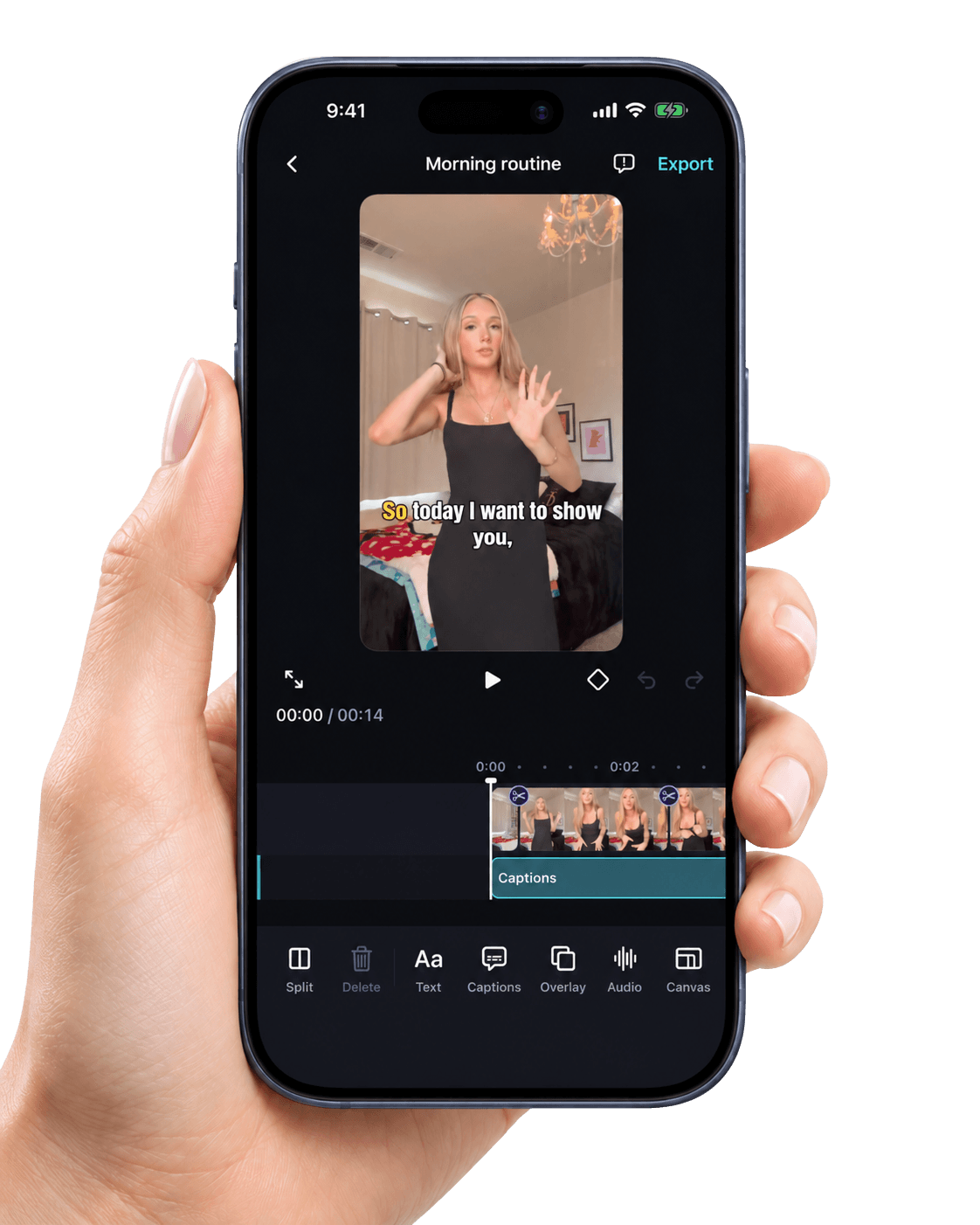
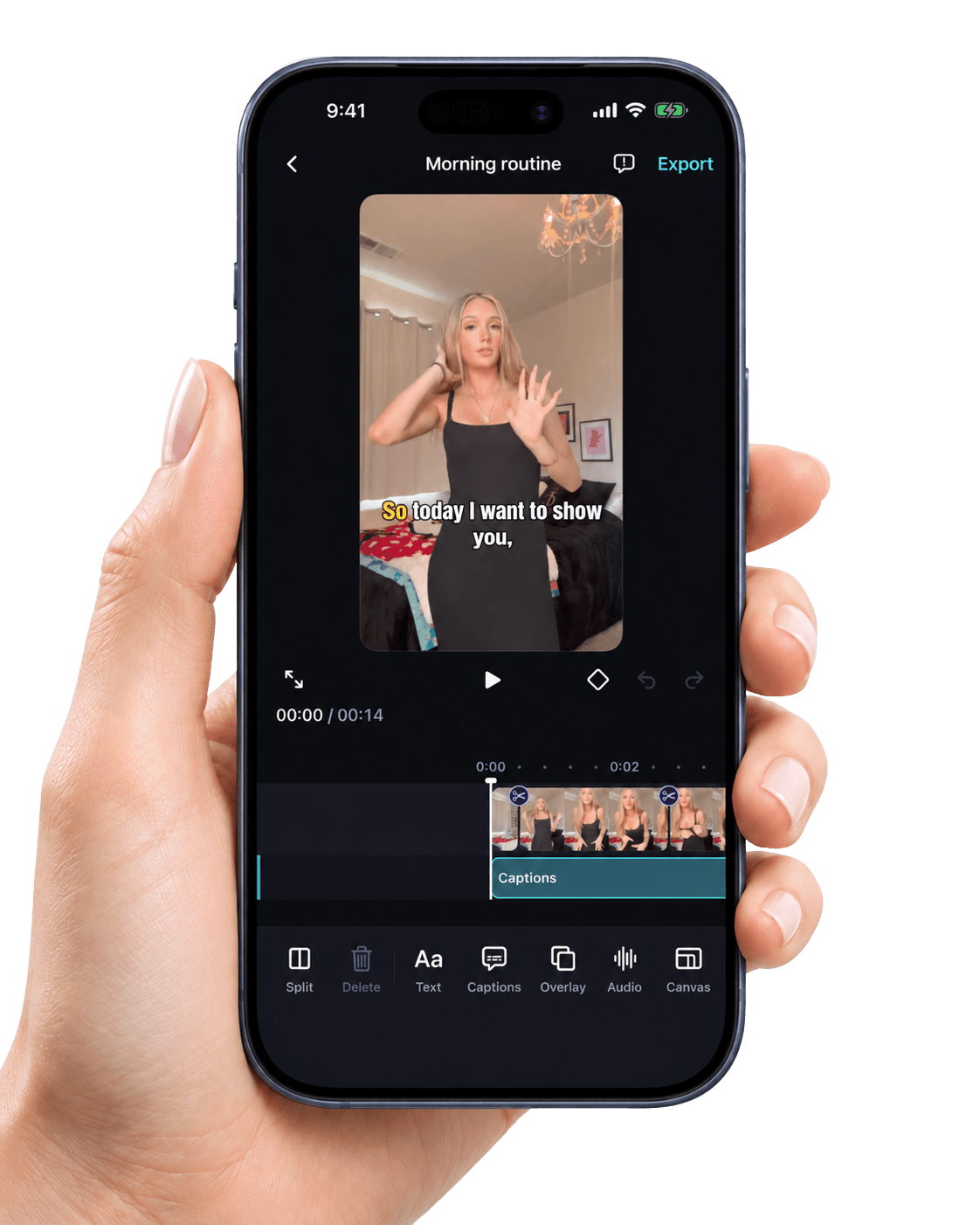
Split and delete clips, add captions and text, place B-roll photos or videos over your video, animate with keyframes, change the canvas, and adjust the audio.

Captions

10 caption styles.
Edit every line.

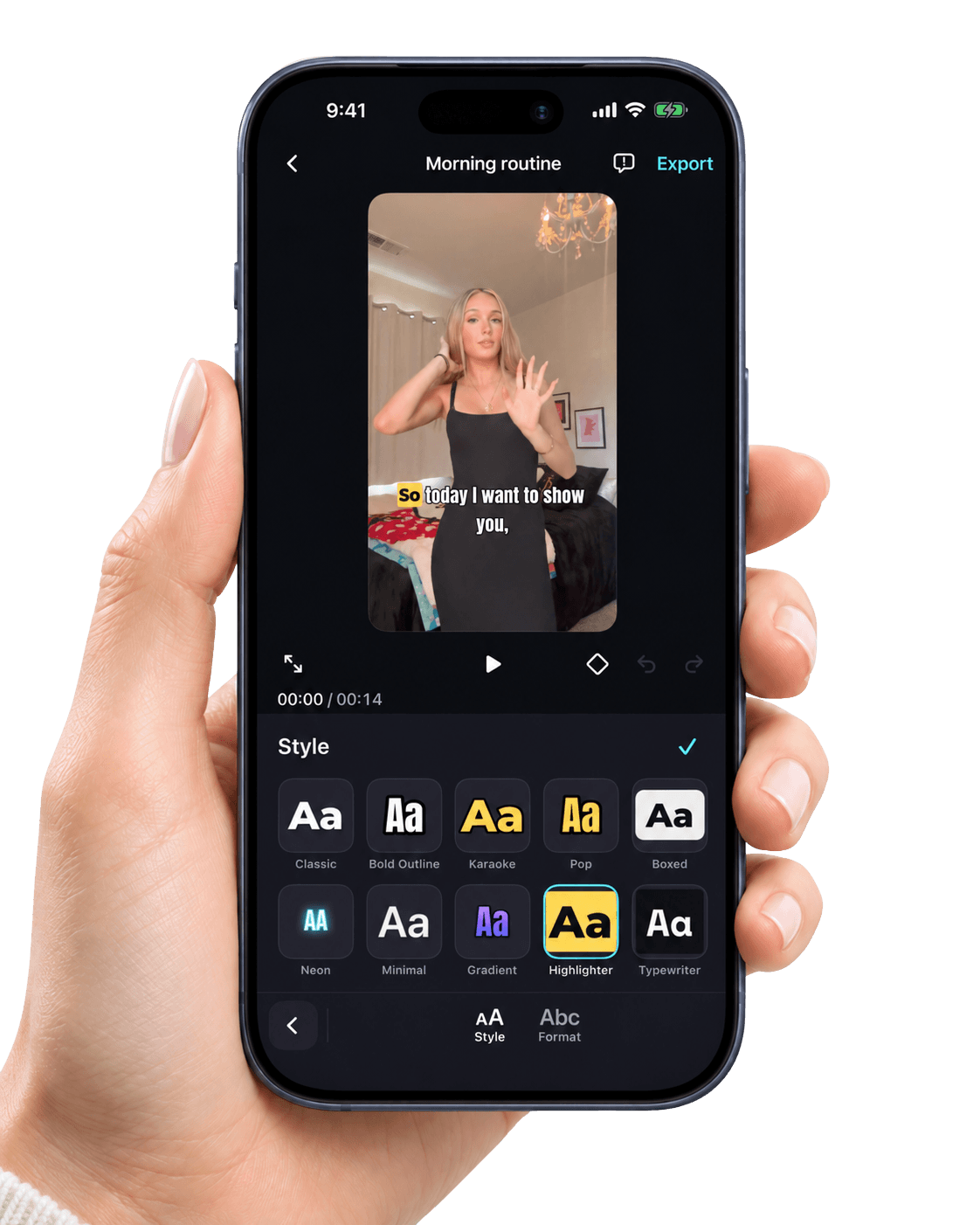
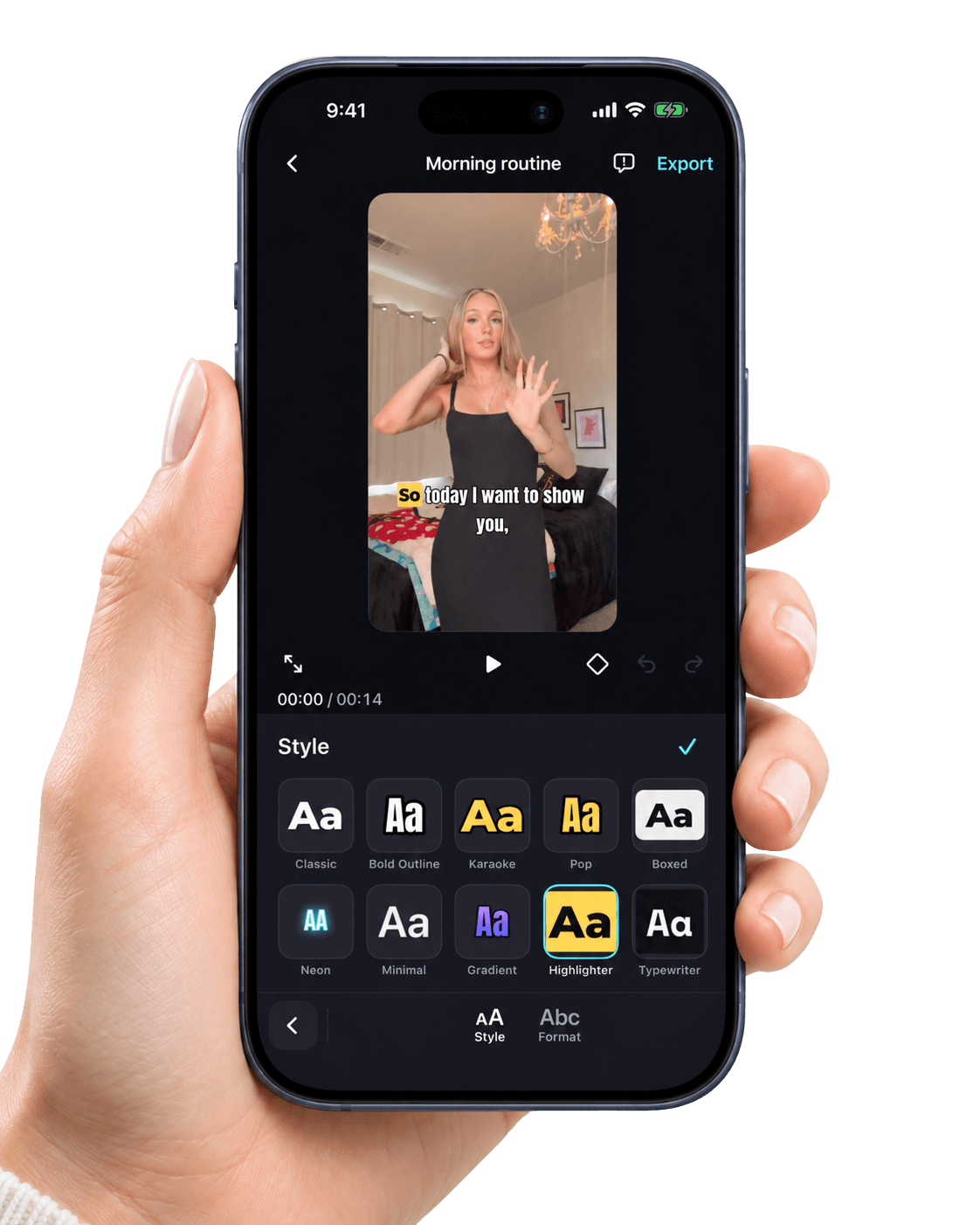
10 caption styles, with editable, timestamped lines and your choice of capitalization.

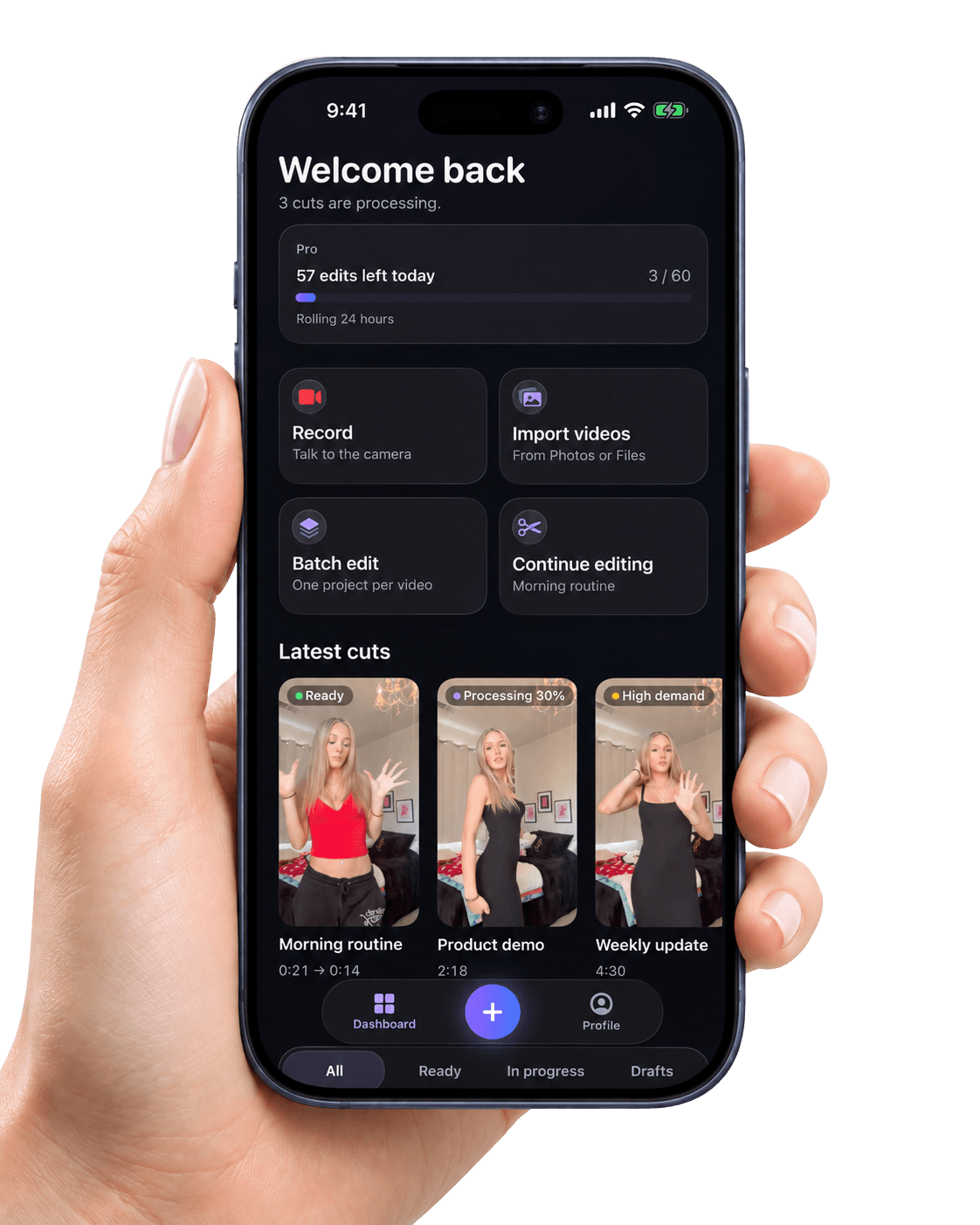
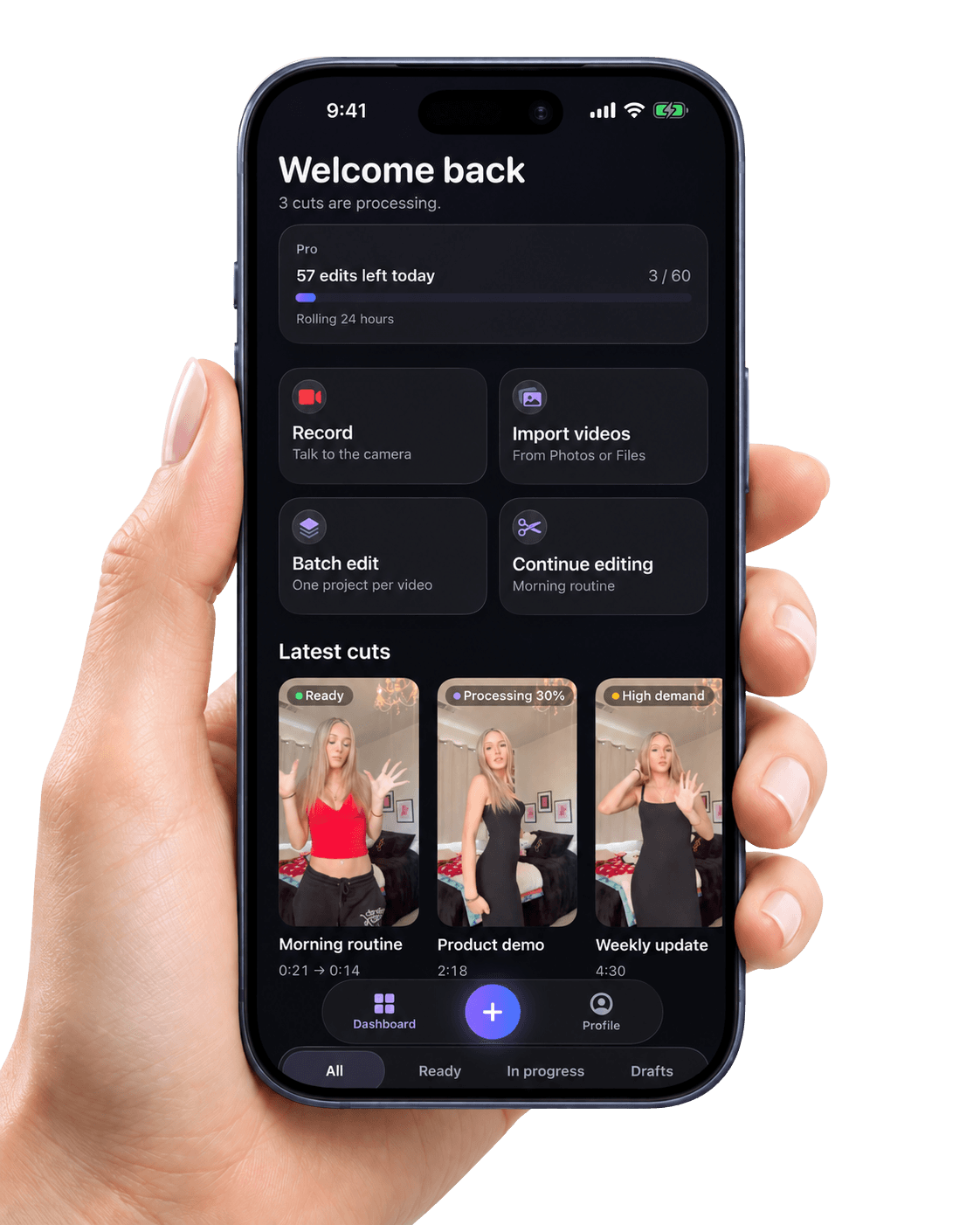
ReCut's dashboard: Record, Import videos, Batch edit and Continue editing, and the latest cuts, one ready and one processing

Made for creators
who post every day.

10,000 UGC creators

My retakes just disappear
I film three or four tries of every line. ReCut keeps my last good take and cuts the rest, and I can see why it cut each one. Editing went from an hour to a few minutes.

mayafilmsdailySample review

Dead air is gone
The silences between my sentences used to make my videos drag. Tight pacing fixes that in one tap and it still sounds natural.

jordan.ugcSample review

Captions look great
Ten caption styles and I can fix any word before I export. Highlighter is my favourite for product videos.

priyacreatesSample review

Perfect for TikTok Shop
I make a lot of product demos. Batch lets me drop in ten videos at once and come back when they are all cut.

tylerreviewsstuffSample review

No more um and uh
I say um a lot. ReCut finds the fillers and takes them out, and anything I want back is one tap on the timeline.

elena.on.cameraSample review

Saves me hours every week
I post coaching tips every day. Record, let it cut, add captions, export to Photos. That's my whole workflow now.

coachmarcusbSample review

B-roll is so easy
Dropping a photo or clip over my talking video as picture in picture takes seconds. The keyframes are a nice bonus.

sofiastyledSample review

Exports look sharp
Exports up to 4K straight to my camera roll, and it never goes above what I filmed in. Clean and simple.

devmakesvideosSample review

I can leave while it works
I start a cut, close the app and get a notification when it's ready. Usually under a minute for my videos.

hannahtalksbeautySample review

Simple editor that does enough
Split, text, captions, audio, canvas sizes for every platform. Everything I need for short videos without a learning curve.

chris.brandvidsSample review

How it works

Record once.
ReCut cuts the dead air, fillers and retakes.

  1. Step 1

    Record or import

    Tap + to open the camera and record your takes, or tap Add video to pick videos from Photos or Files.

  2. Step 2

    Combine & edit

    Arrange your clips, then tap Combine & edit. ReCut cuts the dead air, filler words, retakes and tangents in one tap.

  3. Step 3

    Polish and export

    Polish it in the editor, then tap Export to save the finished video to your Photos library.

The editor

Polish every cut
right on your iPhone.

Split and delete clips, add captions and text, place B-roll photos or videos over your video, animate with keyframes, change the canvas, and adjust the audio.

Captions

10 caption styles, with editable, timestamped lines and your choice of capitalization.

So today I want to show you

Style

Format

Highlighter captions, As spoken.

A video frame with a caption line; pick any of the 10 caption styles or a capitalization and the caption changes, the spoken word highlighted as it plays.

Text

Text overlays with fonts, colours, backgrounds and timing.

Morning routine

Font

Colour

Background

Alignment

A text overlay reading Morning routine; change its font, colour, background and alignment.

B-roll

B-roll picture-in-picture from your videos and photos.

Layout

B-roll sound

0 %

Drag the photo to move it.

A photo laid over the video as picture in picture, which can be dragged, or switched to fill the frame, with a B-roll sound slider.

Keyframes

Keyframes to move, scale and rotate overlays over time.

Easing

Three keyframes move, scale and rotate the overlay. Each one sets how it eases to the next.

3 keyframes · Ease

An overlay moving, scaling and rotating between three keyframes on a looping strip, with Linear, Ease or Hold easing.

Canvas

Canvas sizes 9:16, 1:1, 4:5 and 16:9, with fit or fill and a black, blurred or coloured background.

1:1 canvas, Fit, Blur background.

A 9:16 clip on a canvas of 9:16, 1:1, 4:5 or 16:9, fitted or filled, over a black, blurred or coloured background.

AudioPro and up

Music and voiceover tracks.

Volume

100 %

Fade in

1.5 s

Fade out

2.0 s

A timeline with a music track under the video and captions; change its volume and its fade in and fade out.

Cut and restore

ReCut cuts the dead air, filler words, retakes and tangents in one tap. Tap a cut on the timeline to see why it was made, then tap Restore.

Raw take

1:13


A 1:13 take being read and cut to 0:48: dead air, a filler, a retake and a tangent come out; tap a cut's marker to see why and restore it.

Features

Everything you need
from take to post.

  • Silences

    Silences and dead air, found on your iPhone.

  • Fillers

    Filler words like “um” and “uh”.

  • Bad takes

    Retakes, false starts and repeats, keeping your last complete take.

  • Tangents

    Tangents and asides that wander off topic.

  • Tight or Natural pacing

    Tight or Natural pacing, and each kind of cut can be switched off in Settings.

  • Every cut, explained

    ReCut shows every cut with its reason, so you can restore anything with a tap.

  • Record or import

    Record with the front or back camera, one take at a time, or import from Photos and Files: up to 100 clips and 15 minutes per project.

  • Arrange your clips

    Drag to set the order. We'll combine them in order, then remove retakes and dead air.

  • Undo and redo

    Undo and redo, up to 100 steps.

  • BatchPro and up

    Cut up to 10 videos at once, one project each.

  • Export up to 4K

    Export up to 4K and up to 60 fps, never above your source, and save to Photos.

  • Ready when you are

    A notification when your cut is ready, so you can leave while it works.

ReCut requires a ReCut Premium subscription (Starter, Pro or Ultimate); annual plans can start with a free trial.

Private by design

Only the audio track
leaves your iPhone.

  • Audio only

    Only the audio track of your video leaves your iPhone. Video frames, photos, thumbnails and your project library never do.

  • Deleted after transcription

    The audio is deleted right after transcription and is never kept longer than 48 hours. Transcripts and cut plans are deleted when your iPhone receives them, or within 7 days if it never does.

  • Projects stay on your iPhone

    Projects live only on this iPhone. Deleting ReCut deletes them.

Frequently asked
questions.

Record or import a talking video and ReCut cuts the dead air, filler words, retakes and tangents in one tap. Then polish it in the editor and export it to Photos.

Silences and dead air, filler words, bad takes and repeats, and tangents. You can turn each one off and choose Tight or Natural pacing in Settings → AI cuts.

Yes. AI cuts can be wrong, so every AI cut can be restored: tap a cut on the timeline to see why it was made, then tap Restore. Undo and redo work for every edit.

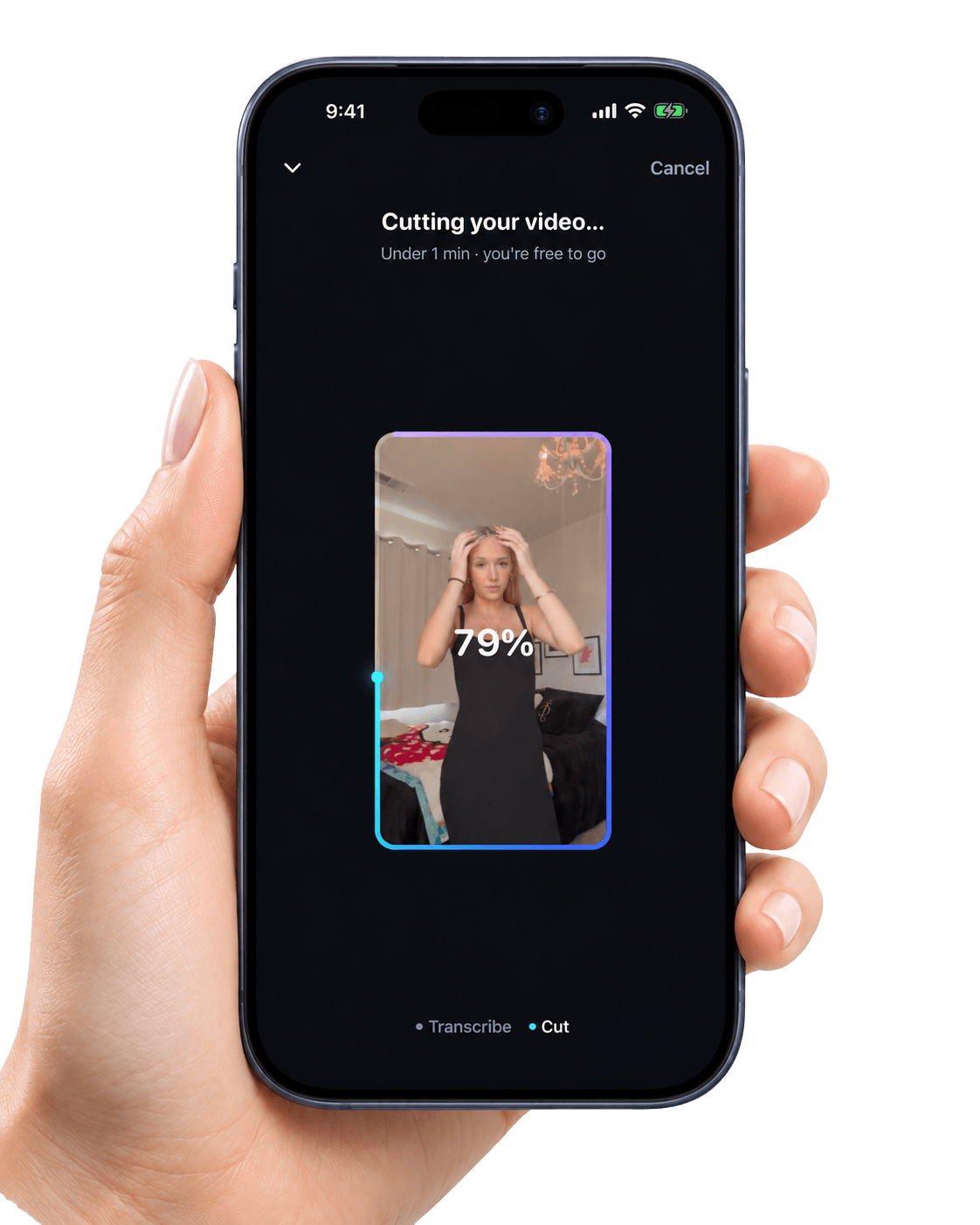
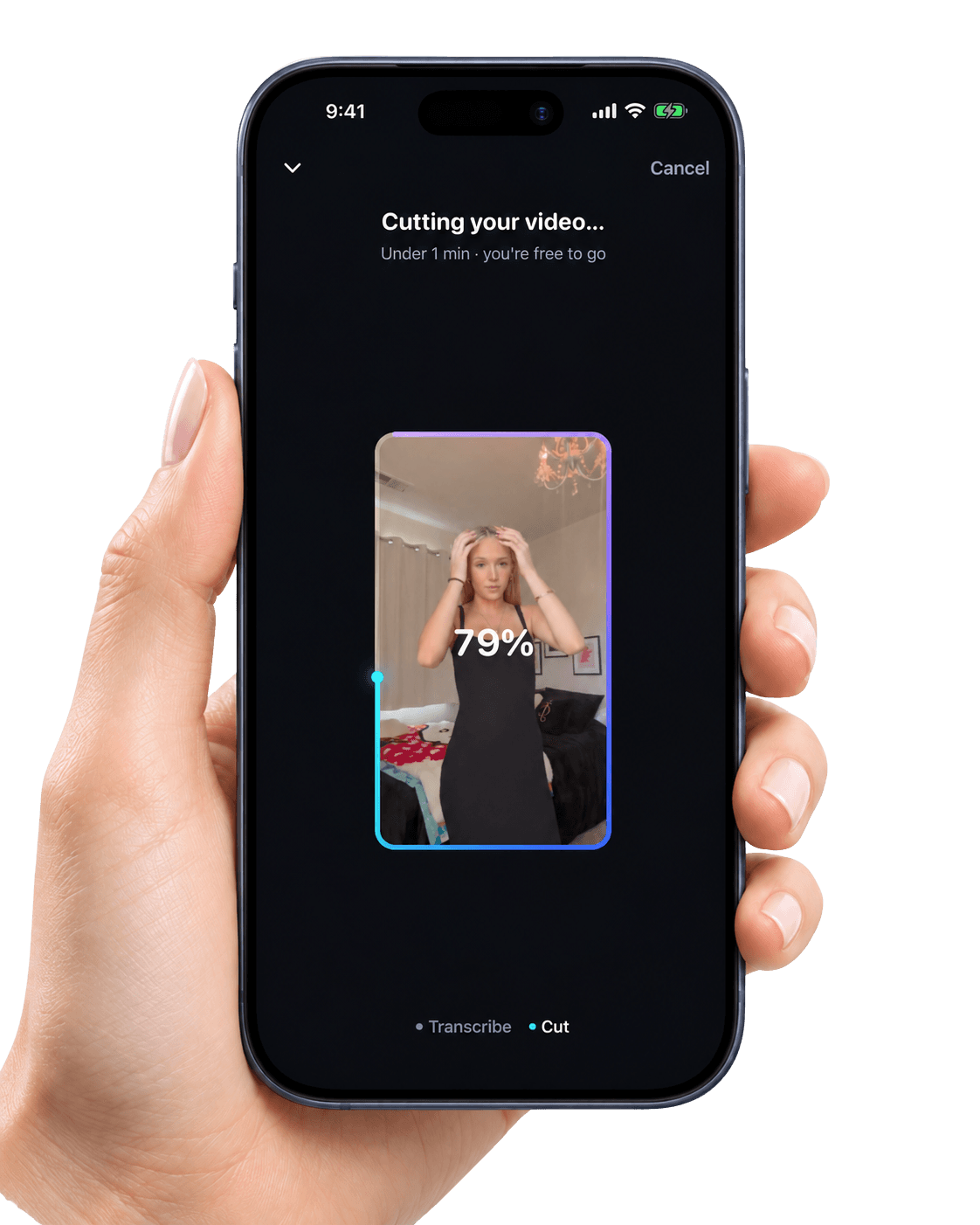
Usually under a minute. Long videos and busy times can take longer. You can leave the screen while ReCut works. Turn on notifications to hear when your cut is ready.

Split and delete clips, add captions and text, place B-roll photos or videos over your video, animate with keyframes, change the canvas, and adjust the audio. Adding an audio track needs Pro or Ultimate.

Projects live only on this iPhone. Deleting ReCut deletes them. Export the videos you want to keep.

Only the audio track of your video leaves your iPhone. Video frames, photos, thumbnails and your project library never do.

Starter includes 100 edits a month. Pro includes 300, plus audio tracks and batch editing. Ultimate is unlimited within fair use. The paywall shows each plan's price, and a free trial when your Apple Account can get one.

Go to Profile → Manage subscription. Renews automatically until canceled. Cancel at least 24 hours before the period ends in your App Store subscription settings. Charged to your Apple Account.

Get started

Ready to post
without the editing?

Record once. ReCut cuts the silences, filler words and retakes for you, then lets you add captions, text and B-roll and export to Photos.

ReCut is not directed to children under 13.

10,000 UGC creators